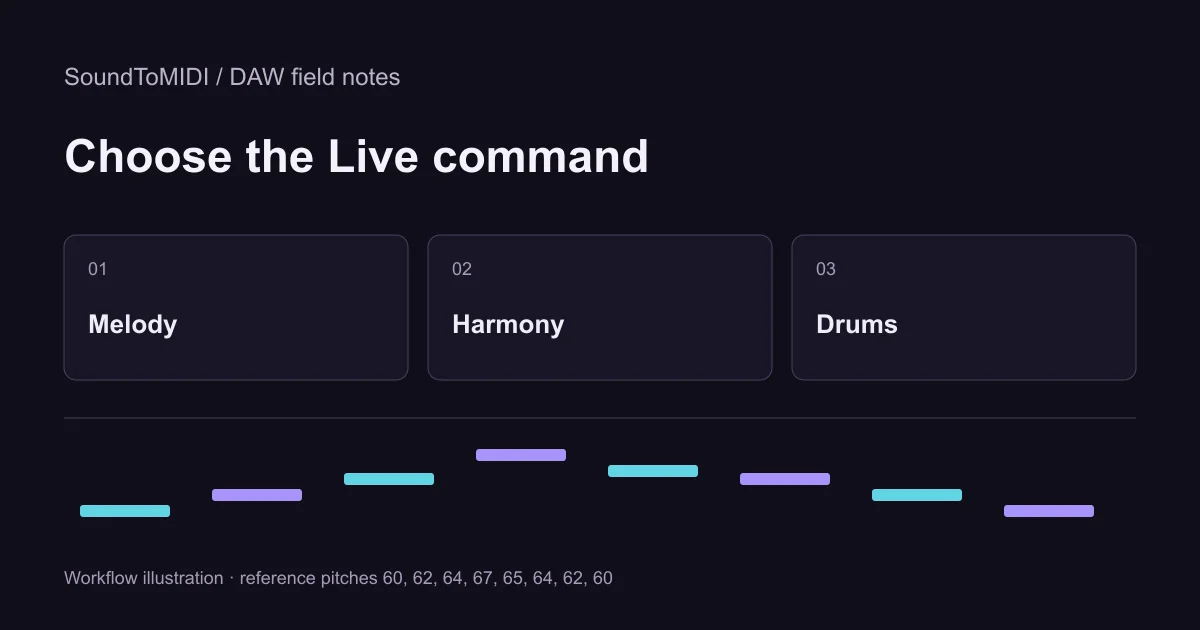
To convert audio to MIDI in Ableton Live 12, select an audio clip and choose the conversion command that matches the material: Melody for one pitched line, Harmony for chords, or Drums for percussion. Do not choose slicing if your goal is to recover the played pitches.
Ableton’s edition comparison lists audio-to-MIDI conversion in Standard and Suite, but not Intro. Check your installed edition before searching for a missing menu. This guide follows the official commands and provides a listening exercise; it does not claim a benchmark of every Live version or your recording.
Choose what you want the MIDI to represent
The Live 12 conversion manual distinguishes pitch extraction from sample slicing. Select the clip, then use its context menu or the Create menu. The conversion creates a new MIDI track with an instrument for previewing the result.
| Source and goal | Command to look for | First result to inspect |
|---|---|---|
| One sung or played melody | Convert Melody to New MIDI Track | Main pitch sequence and note boundaries |
| Piano or guitar chords | Convert Harmony to New MIDI Track | Missing and extra chord tones |
| Percussion pattern | Convert Drums to New MIDI Track | Hit timing and drum assignments |
| Rearrange pieces of the original sound | Slice to New MIDI Track | Which audio slice each note triggers |
Slicing preserves pieces of the recording in a sample instrument. A staircase of trigger notes after slicing is therefore not a transcription error. It serves a different purpose from a melody that you want to play on another synth.
Start with a small, identifiable phrase
Duplicate your source clip or preserve the original track. Choose a phrase you can sing or tap back without guessing. A few seconds with a definite beginning and ending is enough to check whether the process suits your task.
Listen for overlapping parts before choosing the command. A singer accompanied by piano is not a single-note source just because you care only about the singer. If you own separate stems, start with the relevant one. If you only have a mix, expect to inspect unwanted accompaniment notes instead of treating a dense result as a finished melody.
Keep the audio and generated MIDI aligned. Mute one while listening to the other. If both play at once, the original can hide a missing MIDI note, making the transcription seem better than it is. A plain, short-decay instrument makes note boundaries easier to hear than a large reverberant pad.
Use a known phrase to learn the inspection step
Download our eight-note source MP3. The intended pitches are 60, 62, 64, 67, 65, 64, 62 and 60. Convert that phrase with Melody, then compare its piano roll with the manually corrected MIDI reference.
We have not measured an Ableton accuracy score for this file. The exercise is a controlled input you can run in your own edition. Record what your result does, including extra notes or unusual durations, rather than assuming it must match another converter.
For contrast, our archived browser Raw MIDI has ten notes, including two extra pitch-74 notes. That is an actual saved browser result from a synthetic input, not an Ableton result. The conversion examples guide explains how to inspect this kind of mismatch.
Correct pitches before tightening timing
First check whether each intended note exists. Then check the octave, unwanted simultaneous notes, repeated-note separation and final note length. Only after that should you decide how closely the phrase belongs on the beat grid.
If a long note has become several short notes, listen for vibrato or instability in the recording before joining them. If two repeated notes have merged, listen for the second attack before splitting. These choices affect the musical phrase; quantizing everything first can make the mistake harder to identify.
An octave label is not a reliable cross-application comparison because naming conventions differ. MIDI note number 60 is a clearer reference than a screenshot that labels middle C differently. Check the sound and note number before moving the whole passage by an octave.
If the conversion command is missing
Confirm that you selected audio, not an existing MIDI clip, and check the edition feature list. Do not reinstall Live or buy an upgrade merely because a tutorial shows a command your edition does not include.
You can instead transcribe the passage in the browser tool, download Raw MIDI for free and import it into Live. Ableton’s MIDI file help documents dragging MIDI into a MIDI track. Load an instrument if the imported notes are silent. Keep a copy of your unedited result before correcting it.
The useful outcome is an editable phrase that survives the handoff into your project. A successful conversion dialog alone does not establish correct notes, an appropriate sound or a finished arrangement.