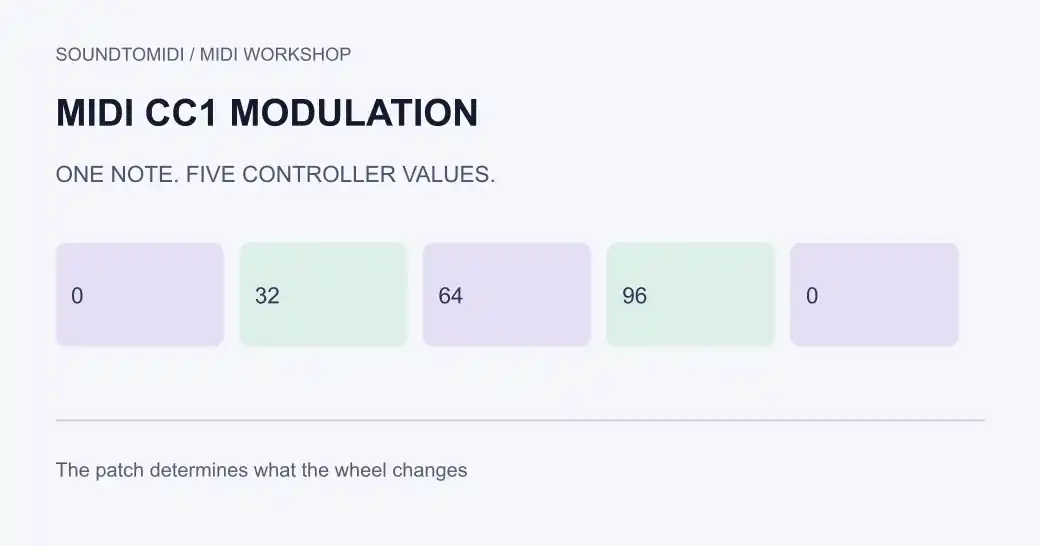
MIDI CC1 is the conventional modulation-wheel message. Its value tells a receiving instrument how much modulation to apply, but the patch decides what changes. A wheel might add vibrato, open a filter or control a sample layer. CC1 is not a universal command to bend a note by a particular number of semitones.
If moving the wheel does nothing, check the message arriving at the instrument before changing the notes. If the modulation never stops, inspect recorded CC1 values and the patch’s own modulation settings.
Three places to check
There are three separate parts of this task: the controller sends a message, the sequencer records or passes it, and the instrument responds. Test each part with one held note.
- Input: watch a MIDI monitor while moving the wheel. Look for Control Change, controller 1, a changing value, and the intended channel.
- Recording: inspect the MIDI region’s CC1 lane. A moving on-screen knob does not establish that those values were saved in the region.
- Sound: check which patch parameter receives the wheel. A correctly delivered message can have no audible effect if nothing is assigned.
The MIDI Association controller table lists CC1 as modulation and CC33 as its fine-resolution partner. Start with the ordinary 0–127 CC1 values unless the receiving device documents a reason to use both.
Try a file with known values
Download the modulation steps MIDI and the zero-modulation reference. Both contain one MIDI note 60, velocity 80, held for four beats at 120 BPM. They differ only in CC1 values.
| Beat position, counted from zero | Steps file CC1 | Reference CC1 |
|---|---|---|
| 0 | 0 | 0 |
| 1 | 32 | 0 |
| 2 | 64 | 0 |
| 3 | 96 | 0 |
| 4 | 0 | 0 |
Import each into a separate copy of the same instrument track. Confirm the events in its controller lane, then listen with a patch whose wheel assignment you know. The last zero clears this example’s wheel setting. It does not disable a patch’s independent LFO or other modulation sources.
These are original constructed files whose note and controller data we checked with a MIDI parser. They are not recordings of a particular synthesizer, and a silent difference between them does not establish a broken file.
Draw modulation without a keyboard
A hardware wheel is unnecessary if your sequencer can write CC1. In Ableton Live, the documented plug-in route is to check the plug-in’s MIDI assignment or learn function, then use a clip envelope for the appropriate MIDI controller. See Ableton’s MIDI CC instructions. Host parameter automation and MIDI controller envelopes are different routes; choose the one the receiving instrument supports.
For a short phrase, set a starting value before the first note, increase it during the sustained section, and return to your intended resting value afterward. Replay from before the phrase as well as from the middle. A sequencer may restore earlier controller values when you move the playhead.
Why the wheel seems stuck
Look for a high CC1 event just before the audible change. Also check another clip feeding the same instrument, an automation lane, and the physical wheel itself. A controller left raised may send a fresh value after you edit the clip.
Disable one suspected source at a time in a project copy. Removing every controller event can also erase sustain and expression. If CC1 returns to zero but vibrato remains, inspect the patch’s LFO depth and other modulation assignments instead of repeatedly clearing the MIDI lane.
After audio-to-MIDI conversion
Transcribed notes do not reconstruct a performer’s original mod-wheel movements. Use audio-to-MIDI conversion to obtain notes, then shape expression in a sequencer with controller lanes. SoundToMIDI’s current note editor does not preserve arbitrary CC automation on re-export; keep the original expressive MIDI file outside that round trip.
For a different problem, use the pitch-bend guide when the note is consistently sharp or flat, or expression versus volume when a phrase changes loudness.