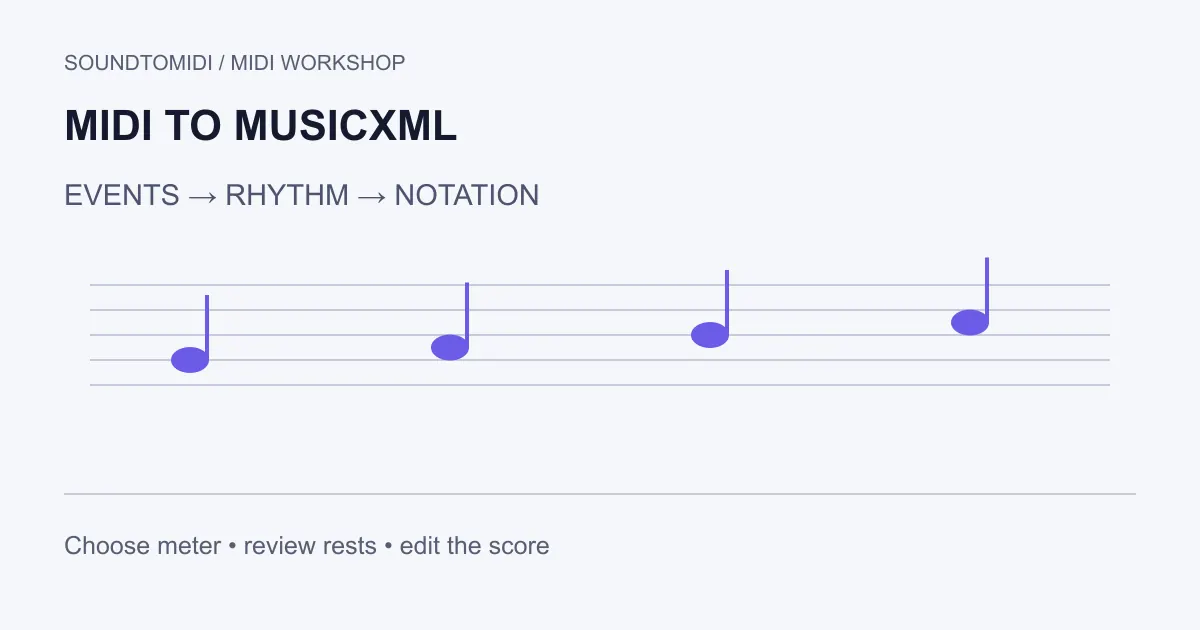
To convert MIDI to MusicXML, import the MIDI into a notation-capable editor, check the score, and export MusicXML. MIDI supplies performance events; the editor must decide how to represent those events as written rhythms, rests, voices and measures. A file that opens successfully can still need substantial notation cleanup.
Use MusicXML when another person needs to edit a score. Use MIDI when they need performance events for a sequencer, and PDF when they only need to read or print finished pages. Renaming a .mid file to .musicxml does not convert it.
The browser export below uses account export entitlement. The sample files are free, and MuseScore Studio offers a desktop route.
What can and cannot be recovered
A MIDI file can contain note pitches, times, velocities and tempo information. It generally cannot reconstruct the exact original engraving choices from those events alone. Two equivalent performances can be written with different spellings, ties or voice assignments.
That matters most for expressive performances. A note held slightly beyond the beat may become an awkward tied value. A short gap can become an unnecessary rest. The musical question is what the player intended, not whether every millisecond has a separate symbol on the page.
Compare a controlled MIDI and score pair
Download the original phrase MIDI and its MusicXML notation draft. We constructed the MIDI and produced the score using SoundToMIDI’s current notation code. This is a known-note example, not a transcription accuracy test or a hand-corrected score.
The file contains MIDI pitches 60, 62, 64 and 67 at 120 BPM. They start at 0, 0.5, 1 and 1.5 seconds, and each lasts 0.25 seconds. With a 4/4 meter, that gives four eighth notes separated by eighth rests within one bar. Check both the written notes and the silence between them.
| Inspection | Expected in this example |
|---|---|
| Pitch sequence | C, D, E, G in the same octave |
| Meter | 4/4 |
| Tempo | Quarter note = 120 |
| Sounding notes | Four |
| Between-note space | An eighth rest after each short note |
This tiny phrase makes it easier to distinguish a failed import from a difference in layout. The application may use different spacing or page breaks while representing the same notes and rests.
A desktop route with MuseScore Studio
MuseScore Studio can open MIDI files. Open a copy, review the imported notation and save the editable score before exporting. Then choose File > Export and select a MusicXML format, as described in the export manual.
Choose the parts that the recipient needs. A compressed MusicXML file usually uses the .mxl extension; uncompressed MusicXML is easier to inspect as text. Ask the destination application which it accepts. The MusicXML interchange documentation also notes that transferred scores can require layout cleanup. These are documented steps; this guide does not claim a native MuseScore import test of every file.
A browser draft for simple notes
In the SoundToMIDI MIDI editor, import a simple pitched phrase and inspect its notes before preparing a notation draft. Set tempo, meter, bar offset and hand split deliberately. Preview the score and use the project export to obtain score.musicxml when the draft is useful.
This route has specific limits: the notation uses a nearest-sixteenth-note grid and fixed tempo; hand separation is suggested by a pitch threshold. It does not infer tuplets, expressive tempo changes, pedal movements, fingering or a key signature. Sharp spellings may need correction in a score editor. It is not a lossless conversion of every MIDI controller and track into notation.
The edited project export uses the account’s export entitlement. Free Raw MIDI from an audio conversion remains available separately, and the example downloads above are free. Choose the desktop route if it better fits the score you need; there is no reason to pay for a draft whose limitations make it unsuitable.
Correct rhythm before polishing the page
Work on a short passage first. Check the time signature and the first full bar, especially if the tune begins with a pickup. Compare note onsets with the intended beat. Remove false notes before deciding whether to quantize; quantization changes timing and can erase expressive details you wanted to keep.
Next check ties, rests, accidentals and hand assignment. If one low melody note jumps onto the bass staff, change the staff assignment in the notation editor rather than transposing a correct pitch. Keep a performance MIDI copy beside the written version: the best-looking score need not encode every nuance of the original timing.
Finally open the MusicXML in the destination editor, play a short passage and inspect the start and end of each part. A useful handoff is an editable score whose musical meaning survives the transfer, with the original MIDI available for comparison when a rhythm or voicing is uncertain.