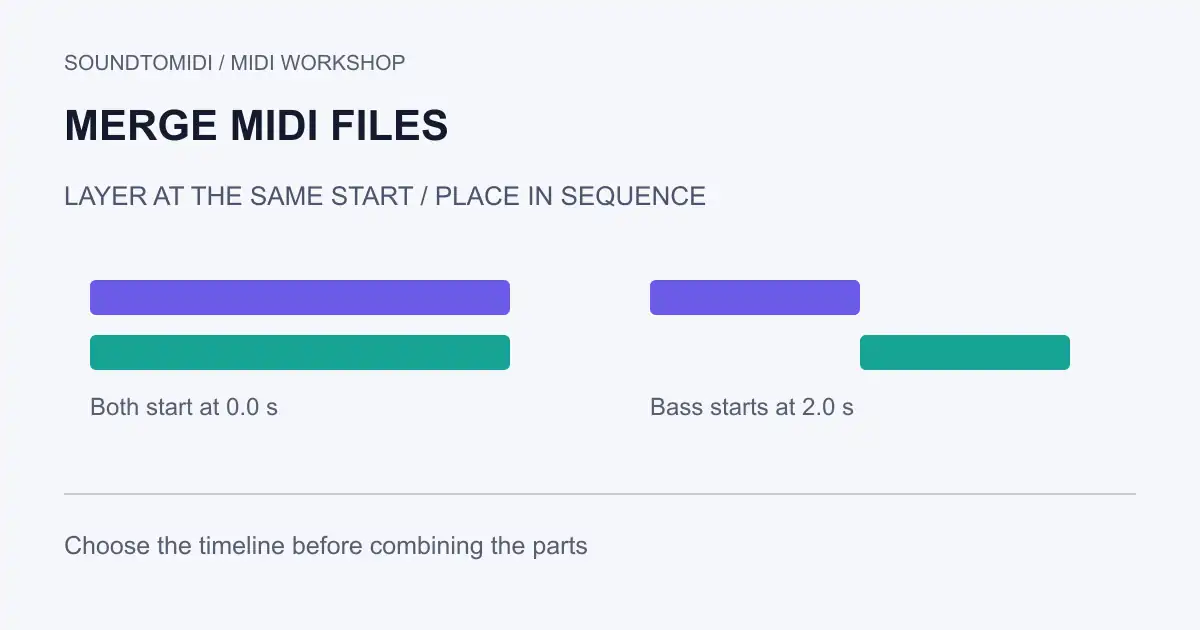
To merge MIDI files, first decide whether they should play together or one after another. Import them into a sequencer, align their start positions and tempo, then export the intended tracks or time range as a new MIDI file. Combining files does not automatically resolve conflicting instruments, controllers or tempo maps.
Layering a melody over a bass part is different from joining two songs. The first needs aligned musical positions. The second needs a deliberate boundary, including whether the first phrase’s final notes or sustain should overlap the next phrase.
Try both arrangements with known files
Download these constructed examples:
- Four-note melody
- Two-note bass part
- Melody and bass layered at the same start
- Melody followed by bass after one bar
All use 120 BPM and 480 ticks per quarter note. The melody has four short notes at 0, 0.5, 1 and 1.5 seconds. The bass has two notes at 0 and 1 second. The layered output contains six notes, with both parts beginning at zero. In the sequential output, the bass starts at 2 and 3 seconds, after the melody’s one-bar section.
| Output | Melody begins | Bass begins | Intended use |
|---|---|---|---|
| Layered | 0 seconds | 0 seconds | Play parts together |
| Sequential | 0 seconds | 2 seconds | Play sections in order |
The two-second boundary is deliberate: it is the end of a 4/4 bar at 120 BPM, not the end of the melody’s last short note. Joining at the last note release would place the bass early. These are programmed examples, not an automatic arrangement of a real song.
Import into a project with a known tempo
Choose one project as the timing reference. Import each MIDI onto a separate track and note whether the application offers to bring in tempo or time-signature information. Do not accept contradictory tempo maps without checking what changed.
For layering, align the musical starting points. That may be bar one, a pickup, or a later section; the first audible note is not always the musical start. Solo each track before playing both together. Then check a later bar to catch gradual timing mismatches that an aligned first note can hide.
For sequential joining, place the second item at the chosen bar boundary. Decide whether to preserve its original tempo after that point or adapt it to the first section’s tempo. Neither choice is universally correct. Preview the transition, especially when the second file begins with controller resets or a program change.
Keep parts separate until the handoff is clear
A single MIDI file can contain several synchronized tracks. You do not have to collapse all events into one track merely to send one file. MIDI type 0 and type 1 describe storage layouts; choose the format required by the receiving application.
For a scripted workflow, Mido’s merge_tracks reference describes combining track messages into playback order with recalculated delta times. That is a track operation, not a decision about where a second song should begin. Set the intended timing and compatible tick resolution before merging. The examples here verify the resulting events; they are not a claim of hands-on testing in a particular DAW.
If the recipient needs editable melody and bass separately, named tracks are helpful. If their hardware requires type 0, make that export as a separate copy and verify its playback. Track names alone do not guarantee channel separation.
Resolve channel conflicts before export
Two independent files may both use channel 1. Their notes can coexist, but program or controller changes from one part can affect the other when they reach the same instrument channel. Assign appropriate destinations before combining parts that need different sounds.
Our examples use separate melody and bass channels. The constructed MIDI parser checks confirm their pitches, timing and channel assignments; they do not guarantee that every player will select your preferred patches. If both parts play on one piano, inspect routing and instrument selection rather than shifting the notes.
Watch for sustain at the join. A pedal-down message from the first phrase without a release can hold notes into the next. Conversely, a blanket controller reset can cut off an intentional tail. Check the actual controller lane and preserve the performance you want.
Reopen the merged file in a clean project
Count the intended notes, compare start positions and check the end of the last section. For the layered example, expect six notes starting across 0–1.5 seconds. For the sequential example, expect the same pitches with the bass beginning at 2 seconds. Play through the transition instead of checking only the first bar.
SoundToMIDI’s MIDI editor is useful for inspecting a single note result; it does not provide a multitrack file-merging command. Use your sequencer for the merge and keep both originals until the exported copy behaves correctly. If your starting point is audio, make the separate audio-to-MIDI conversions first, check their notes, and then align them in the same project.