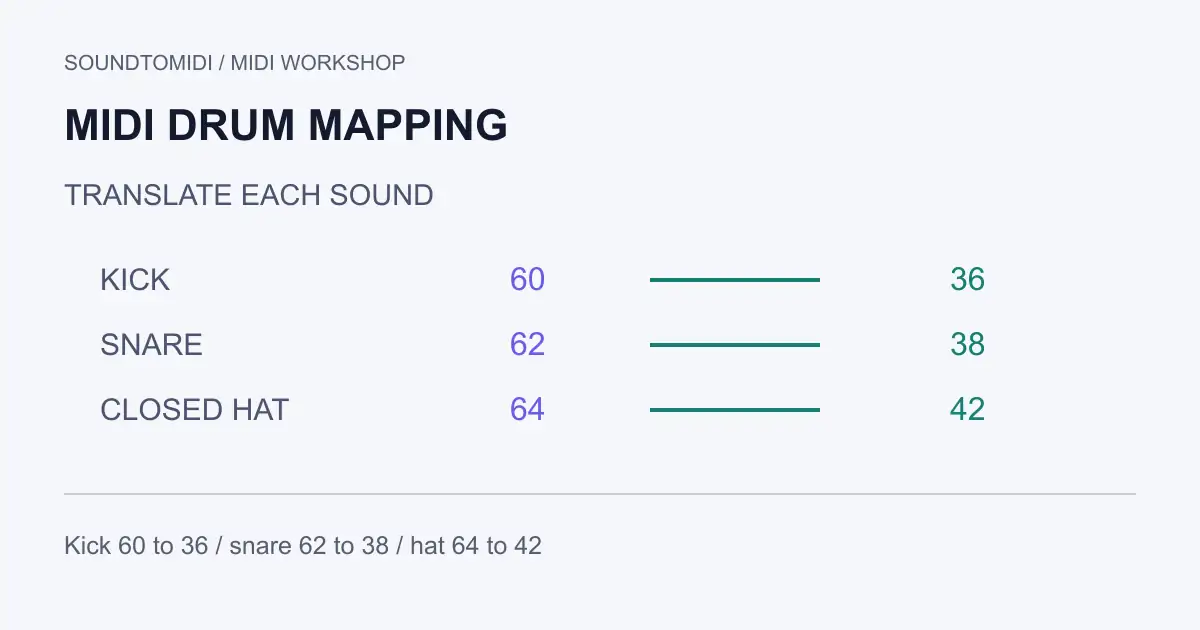
MIDI drum mapping assigns each incoming note number to a drum sound or articulation. If a kick triggers a snare after you change instruments, compare the source and destination maps. Moving every note up an octave is unlikely to fix a kit whose assignments differ individually.
Start by identifying the source note numbers and what they are supposed to play. Then identify the numbers your destination kit expects. A drum map is a translation between those two lists; it does not extract drums from an audio recording.
The downloadable files below are free. SoundToMIDI does not currently provide a drum-map editor or guarantee percussion-map preservation through its note-focused editor.
Use numbers before octave names
Different music applications can label the same MIDI note with different octave names. A row called C1 in one program may have a different label in another. Record the numeric note value as well as the sound name before moving hits.
For a General MIDI percussion kit, a small useful reference is:
| Note number | GM percussion sound |
|---|---|
| 36 | Bass Drum 1 |
| 38 | Acoustic Snare |
| 42 | Closed Hi-Hat |
| 46 | Open Hi-Hat |
| 49 | Crash Cymbal 1 |
The General MIDI percussion reference hosted by MuseScore lists the full standard set and its channel-10 convention. A third-party sampler can use a custom map instead. Its own documentation and loaded preset are the relevant destination reference.
Try a small custom-to-GM example
Download the custom-map pattern and GM-mapped pattern. We constructed a four-hit pattern in which a hypothetical source kit uses 60 for kick, 62 for snare and 64 for a closed hi-hat.
| Hit | Start | Source note | Intended sound | Destination note |
|---|---|---|---|---|
| 1 | 0 ticks | 60 | Kick | 36 |
| 2 | 480 ticks | 64 | Closed hi-hat | 42 |
| 3 | 960 ticks | 62 | Snare | 38 |
| 4 | 1440 ticks | 64 | Closed hi-hat | 42 |
The custom source is deliberately fictional, not a map for a named plugin. Both files use channel 10, 120 BPM and identical timing, lengths and velocities. Loading the custom file into a GM kit will not give the intended sounds; that is the mismatch the second file corrects.
The mapping changes only 60→36, 62→38 and 64→42. A global transpose cannot perform this translation because the required intervals differ. That distinction helps when a few pieces work but the rest of the kit sounds wrong.
Build the translation before editing notes
Solo the drum part. For each note row that contains hits, write down the number, intended sound and destination number. Trigger a single destination note at a moderate velocity to verify the receiving sound. Do not infer it only from an abbreviated pad label.
Include articulations separately. Closed, open and pedal hi-hats are different choices; a snare rimshot may have its own destination. If the receiving kit lacks an articulation, choose and document an approximation rather than pretending the conversion is exact.
Keep a copy of the source. Apply the mapping to the intended drum track only. Melodic tracks can contain the same note numbers and should not be changed. If the source mixes parts, separate the tracks or channels first using an editor that preserves that structure.
Avoid collisions during remapping
Suppose a source has notes on both 36 and 60 and your map swaps their destinations. Moving the 60 row onto 36 and then moving everything on 36 can accidentally move both groups. Use a mapping tool that evaluates original notes, or isolate the original selections before moving them.
A temporary unused note row can help with a manual swap, but check that it really is unused and remove no other hits. After the operation, compare the number of events in each intended group. Our sample should still have four hits, including two closed hi-hats.
Keep starts, durations and velocities unchanged during the first pass. If you alter timing and the map together, it becomes harder to identify which change caused a missing or different-sounding hit. Velocity can also select different sample layers, so audition more than one strength after the basic mapping works.
Check the receiver and the exported file
A MIDI file contains instructions, not the drum samples. A file with correct note numbers can still sound wrong if it is routed to a piano or a different kit. Confirm the destination instrument, channel routing and preset before changing the notes again.
Open the exported file in a clean project with the target kit. Compare kick, snare and hi-hat separately, then play the complete pattern. If the source used hi-hat openness controllers or other expressive data, a simple note-number map will not recreate all of it. Preserve those lanes where supported, or record the limitation.
If you are starting with a mixed song, first distinguish drum transcription from map conversion. Remapping can repair the destination of an existing hit. It cannot recover a missing kick or correct an inaccurate transcription automatically.