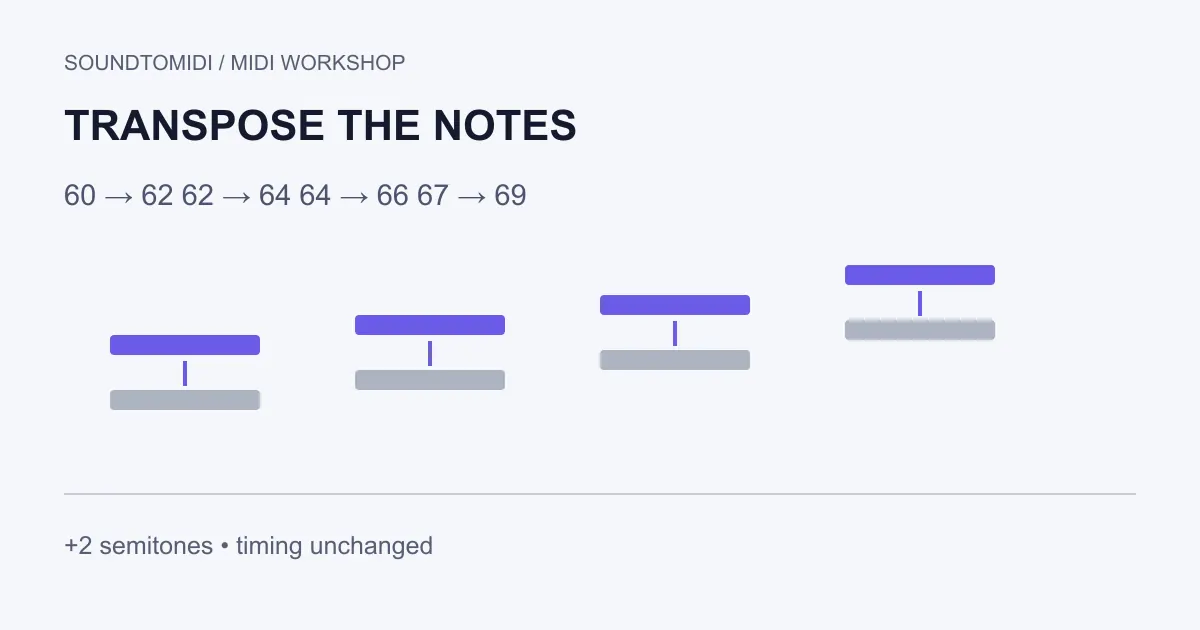
To transpose a MIDI file, shift the intended pitched notes by the same number of semitones, then export a new copy. A positive value raises the notes; a negative value lowers them. The note starts, lengths and tempo should stay the same unless you deliberately edit those too.
If a melody is too high to sing, try lowering it by two semitones and listen again. If every note sounds right except for its register, an octave shift is 12 semitones. Changing the instrument patch is a different operation: it changes the sound playing the notes, not their pitch numbers.
The browser route below lets you edit and preview before the account export step; edited downloads use export entitlement. The example files are free.
Try a four-note example first
These small files were constructed for this guide, not extracted from a recording:
| Position | Original MIDI pitch | After +2 | Start time | Duration |
|---|---|---|---|---|
| First note | 60 | 62 | 0 seconds | 0.25 seconds |
| Second note | 62 | 64 | 0.5 seconds | 0.25 seconds |
| Third note | 64 | 66 | 1 second | 0.25 seconds |
| Fourth note | 67 | 69 | 1.5 seconds | 0.25 seconds |
Both files use 120 BPM. Their notes have velocity 80. Compare pitch numbers rather than octave labels if two programs disagree about what to call middle C. The expected result is four notes, shifted up exactly two semitones, with no change to the timing or dynamics.
A browser workflow for a simple phrase
Open the SoundToMIDI MIDI editor and import the original example. Expand the editing controls, find Transpose, enter 2 in Semitones, and choose Shift notes. Preview the result and compare its pitches with the table. Undo the operation to return to the starting phrase.
The control shifts every remaining note in the current editing result. It is suitable for a simple pitched phrase; it is not a selective orchestral transposition tool. Do not import a complete arrangement and assume its separate tracks, instrument assignments, controllers and percussion will all be preserved by a note-focused export.
Editing and previewing are available before export. Downloading an edited project uses the site’s export entitlement, shown at the download step; the original Raw MIDI from an audio conversion remains free. The two files in this guide can be downloaded directly without signing in. If you need an entirely free desktop route, use a score editor or DAW you already have and save a separate MIDI copy.
When a score editor is the better choice
For a notated part, MuseScore Studio’s transposition guide documents selecting a passage and opening Tools > Transpose. The dialog can work by interval or destination key and can update key signatures and chord symbols. This is a documented alternative, not a claim that we ran your file through MuseScore.
Use a chromatic interval when every note must move by the same number of semitones. A diatonic move follows scale degrees and can alter the intervals between notes. Moving written notes for a transposing instrument also needs care: written pitch and sounding pitch are not always the same. Check the score’s concert-pitch view and instrument definition before deciding the file is wrong.
Leave drum mappings alone
In a drum part, a note number often selects a sound rather than a musical pitch. Moving a kick’s note number up two may select another drum. Separate percussion from pitched parts before transposing a mixed arrangement. General MIDI convention is not a promise about every custom drum kit, so inspect the receiving instrument’s map.
For a multitrack project, select only the intended musical parts. Keep a copy of the original arrangement and retain its tempo map. A whole-song key change usually needs the pitched accompaniment to move with the melody; moving only one part can produce new clashes.
Check the highest and lowest notes before exporting
A mathematically correct shift may put a melody outside a singer’s or instrument’s useful range. Inspect both extremes, not just the opening note. MIDI pitches also have finite bounds, so a large shift near either end can produce rejected or discarded notes in an editor. Recount notes after exporting rather than assuming every one survived.
Reopen the saved file in an empty project. Confirm the four things separately: pitch offset, note count, timing and playback instrument. If the new file is faster, investigate tempo handling; if it is only an octave away, use the octave diagnosis. Neither problem calls for guessing a new key.
A successful transposition gives you the same intended phrase in a usable range. Keep the original nearby until you have checked the exported copy in the application where you will actually use it.