Audio to MIDI AI estimates notes from recorded sound: their pitches, start times, durations and sometimes expressive information such as pitch bends. It can save you from entering every note manually. It does not recover a hidden original MIDI file, and a plausible-sounding result can still contain wrong notes.
Use SoundToMIDI’s audio converter when you want editable notes from an existing performance. If you want new accompaniment or a new instrumental version, that is a different job. Our separate music arrangement page generates audio with explicit upload consent; it does not promise an arranged MIDI score or a chord chart.
Four tasks that are often confused
| Task | Input | Intended output |
|---|---|---|
| Audio transcription | A recording | Estimated MIDI note events |
| Source separation | A mixed recording | Audio stems, such as vocals and accompaniment |
| Chord recognition | Musical audio | Chord names or a timed harmonic analysis |
| Music generation or arrangement | A prompt or source idea | New musical audio, with possible changes |
One feature does not automatically include the others. A MIDI file containing several simultaneous pitches is not necessarily a reliable chord chart. A vocal stem is still audio and needs another transcription step if you want MIDI. A generated arrangement may sound polished while changing the notes you intended to preserve.
What the transcription is estimating
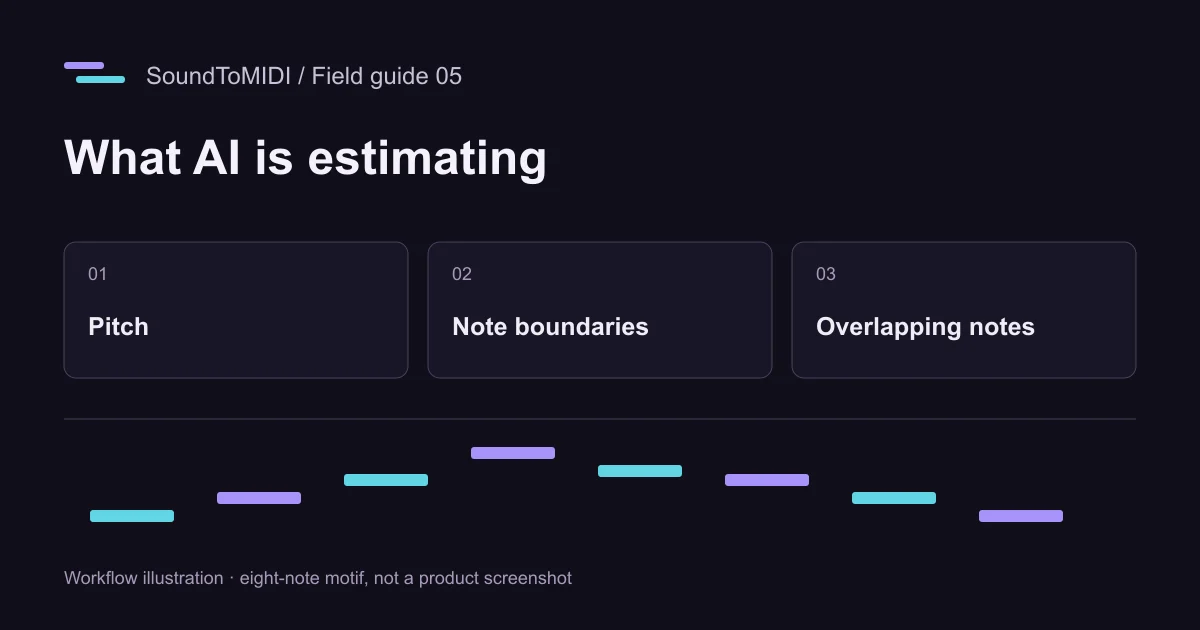
A recording contains overlapping vibrations, noise, attacks and resonances. A transcription system must decide which patterns correspond to musical notes and where those notes begin and end. SoundToMIDI uses Spotify’s Basic Pitch model for browser transcription. The official Basic Pitch project describes polyphonic transcription and pitch-bend support, while noting that it works best on one instrument at a time.
Polyphonic means notes may overlap. It does not mean a system will reliably separate every instrument in a full song or know which line you consider the main melody. A loud bass, a sustained chord and a vocal can all contribute evidence at the same time.
Post-processing can remove or combine detected events. That may make a result easier to use, but it also makes assumptions. A setting designed to simplify a melody can discard real accompaniment. Always keep the Raw version for comparison.
Hear an octave error in a small example
We synthesized an eight-note phrase and encoded it as MP3. The archived October 12 transcription contains ten notes: the two intended MIDI-62 notes each gained an extra MIDI-74 note. Those pitches are an octave apart. This is consistent with a harmonic being interpreted as another note, although the output alone cannot prove the model’s internal reason.
Original recording:
Archived Raw MIDI rendered with a synthesized instrument:
You can download the actual MIDI and inspect the two extra notes near 1.25 and 5.51 seconds. This is one simple synthetic case. It neither measures full-song accuracy nor predicts how a different voice or instrument will perform.
Use errors to choose your next attempt
If the output adds a parallel line an octave above the melody, inspect those overlaps against the recording. If a sustained note becomes many fragments, focus on note boundaries before changing every pitch. If quiet short notes disappear, inspect the minimum note-length setting and the source level. Change one control, rerun the same phrase, and compare both results.
If you want the vocal but see bass and chord notes everywhere, the issue may be the input mixture rather than a single bad threshold. Try a legitimately available vocal-only source. Source separation can leave artifacts, so a separated stem still needs listening and correction; it is not ground truth.
What a useful accuracy comparison needs
Choose an excerpt for which you know the intended notes. Compare missing notes, added notes, pitch errors and timing errors separately. A result with fewer notes can look cleaner while omitting the quiet notes you needed. A result with all the right pitches can still have the wrong rhythm.
Measure the time it takes to make the MIDI usable for your project. Keep the input, settings and unedited output so you can repeat the comparison. The converter evaluation worksheet gives a practical way to do that without inventing an overall percentage.
A successful transcription gives you a starting point for musical decisions. Preview the notes before choosing optional exports, and do not buy an export on the assumption that payment runs a more accurate transcription model.